Features
Terminalia features: SSH, SFTP, tunnels and processes in one window
Five areas, one session. Every screenshot is the real app, untouched.
01 · Connections
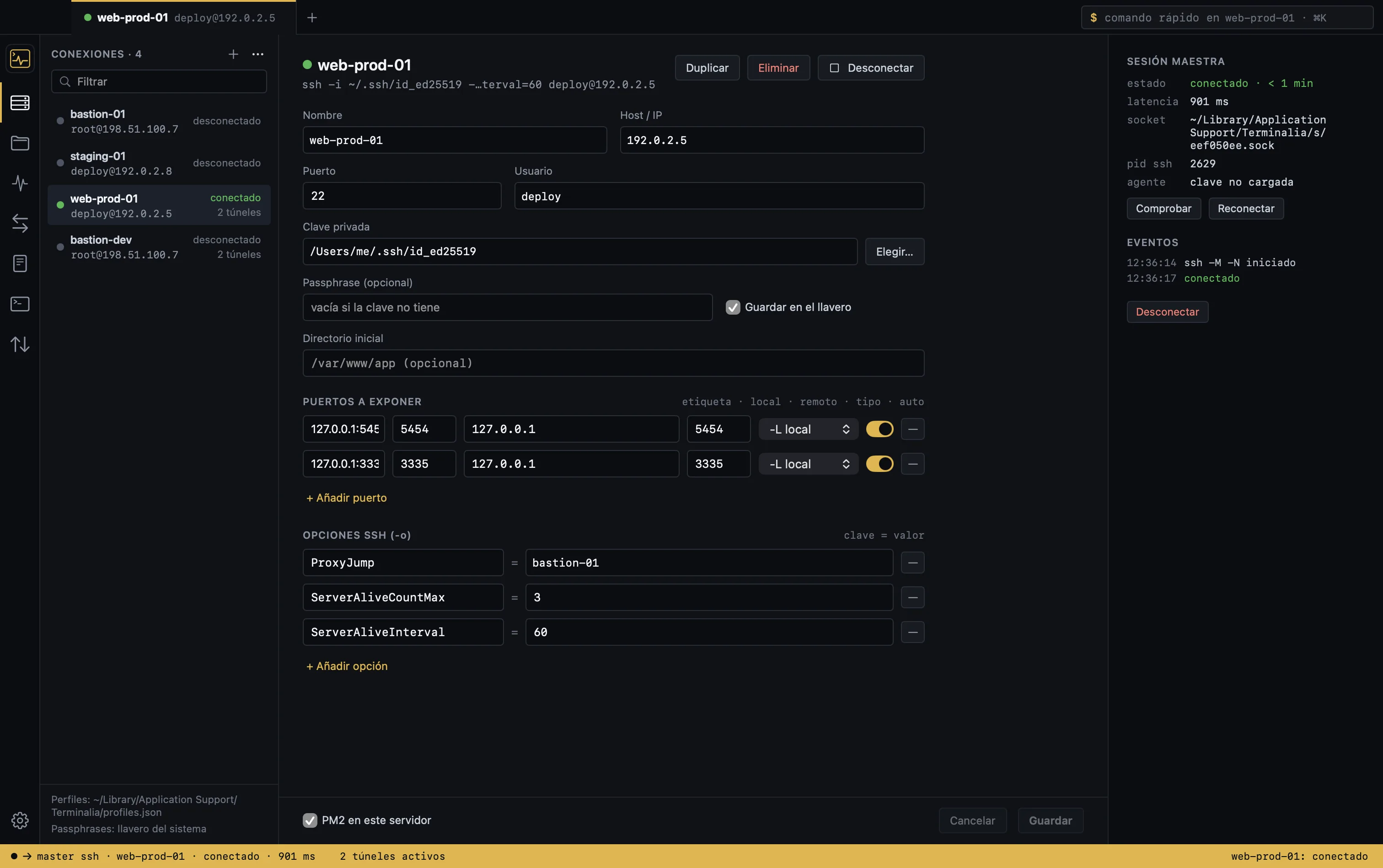
Your hosts from ~/.ssh/config, imported in one click
Reads ~/.ssh/config and lets you choose which hosts to import, with their keys, forwarded ports and jump hosts. Re-importing updates them without overwriting anything you edited by hand.
- ProxyJump and SSH agents exactly as you have them configured
- Key passphrase stored in the macOS Keychain
- Live status: connected, reconnecting, down
- Automatic reconnect with the tunnels you had open
02 · Master connection and tunnels
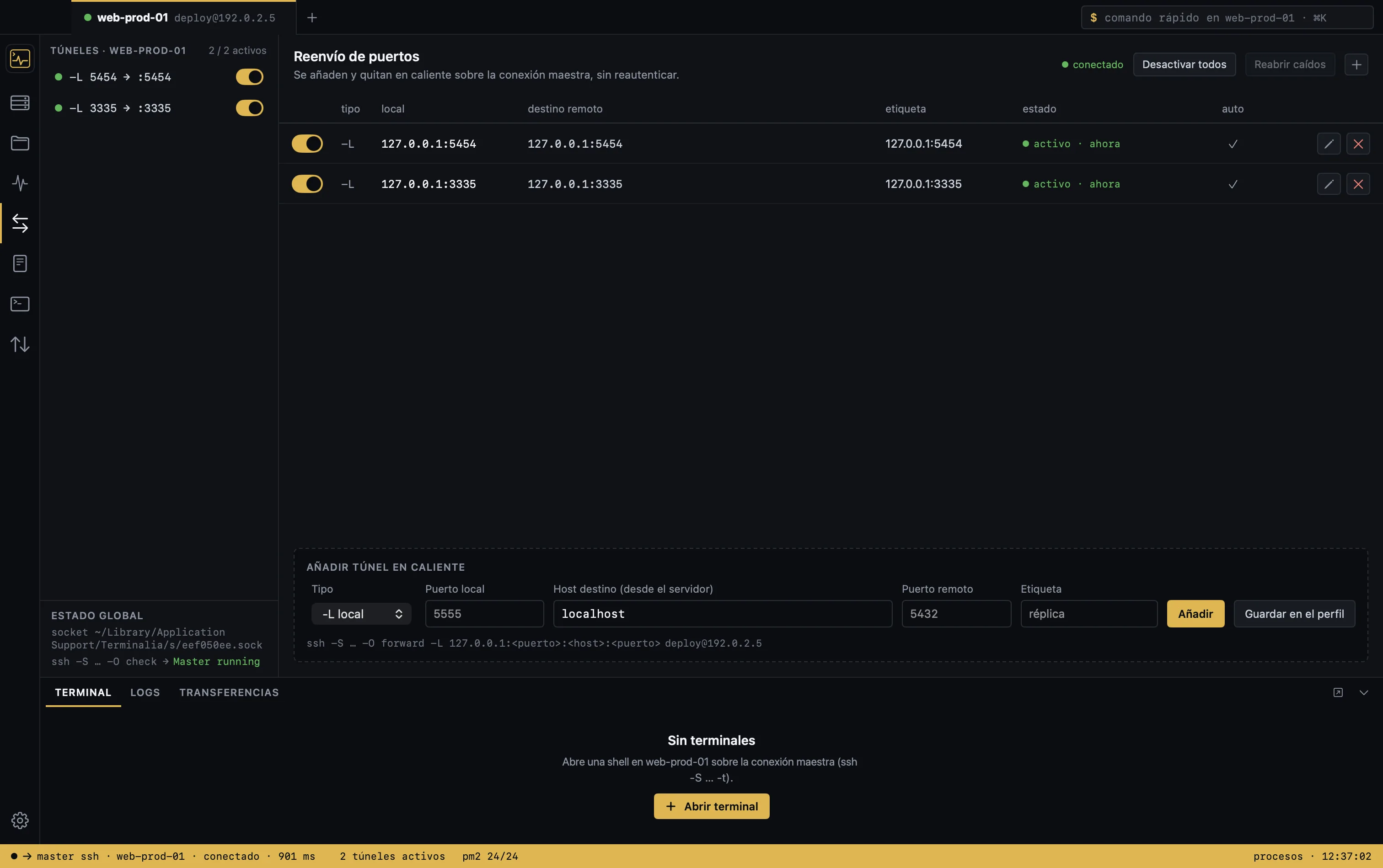
SSH tunnels over a single authentication
Terminalia opens a master session with your Mac’s OpenSSH (ControlMaster) and reuses it for the file browser, commands, logs and terminal. -L and -R tunnels are added and removed live over that same session.
- Tunnels start automatically on connect and after a reconnect
- Warning if the local port is already taken, with the process using it
- Preview of the ssh command about to run
03 · File browser and editor
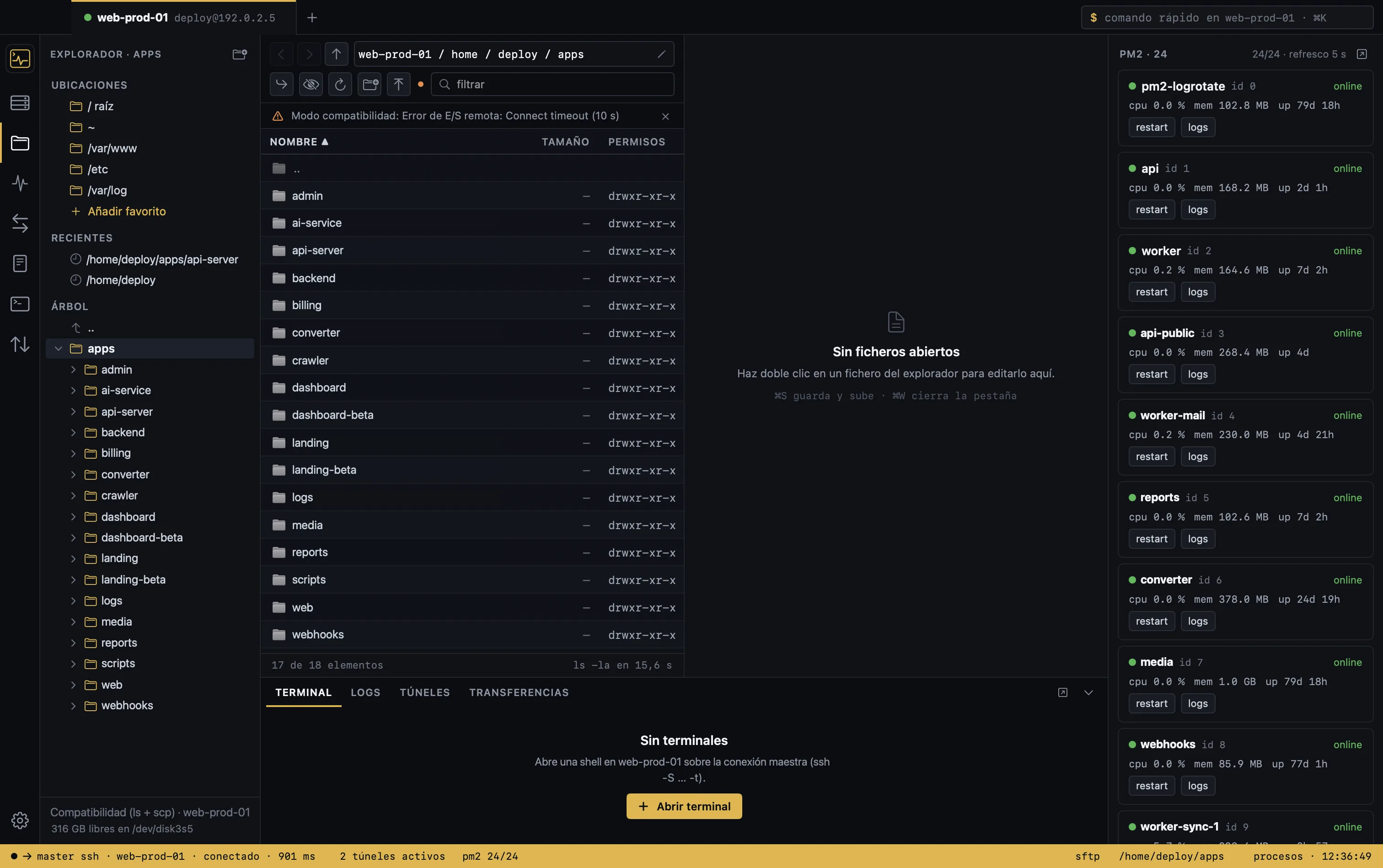
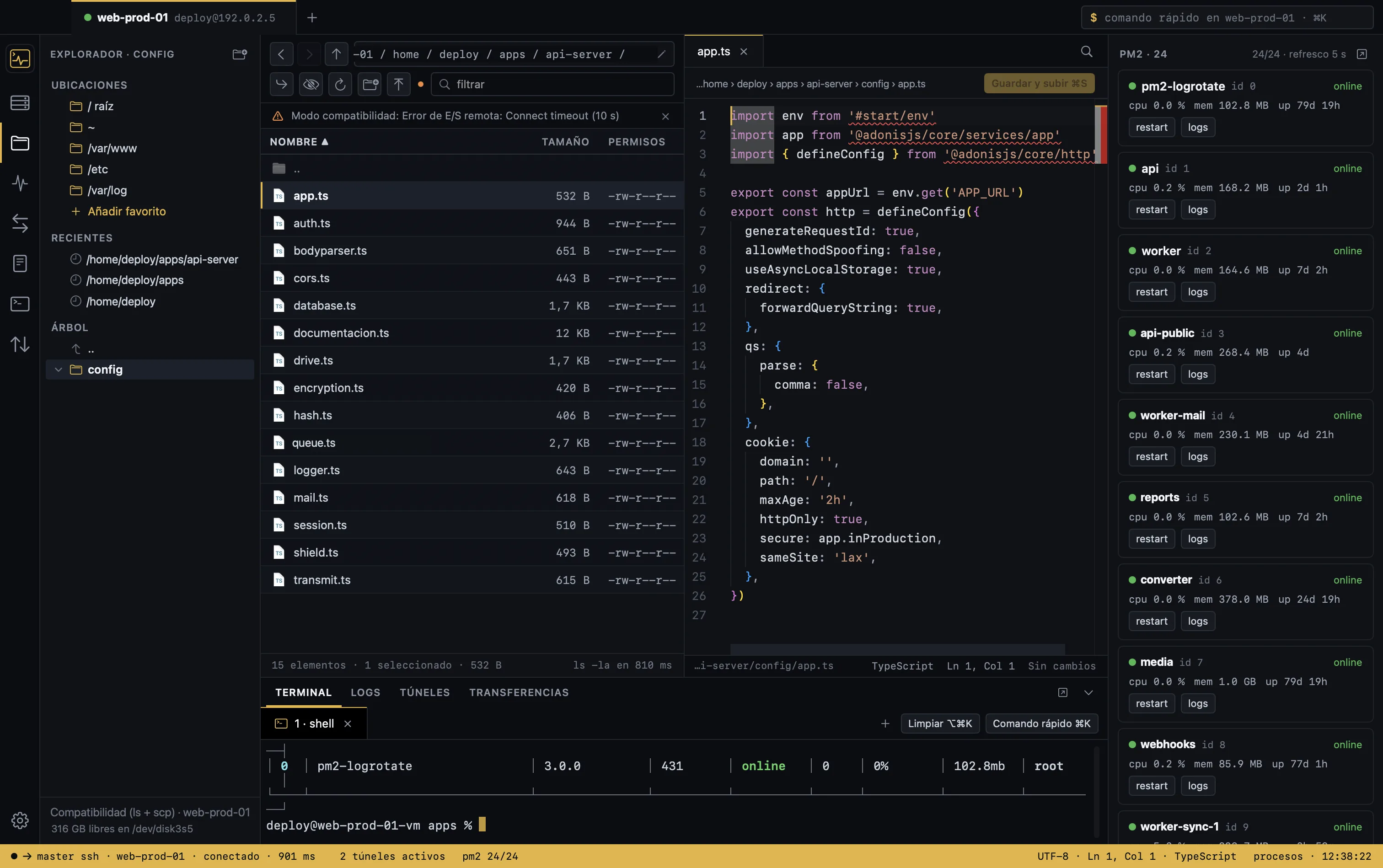
SFTP client and remote editor: drag, edit and save on the server
An SFTP browser that works like Finder: drag from the desktop to upload, to the desktop to download, within the app to move. Permissions, rename, new folder and a transfer queue with progress.
Double-click opens the file in the built-in editor (Monaco), with highlighting for dozens of languages. ⌘S uploads it. If it changed on the server in the meantime, you’re told before overwriting and can compare.
04 · Processes
PM2 and Docker Compose: start, stop and restart in one click
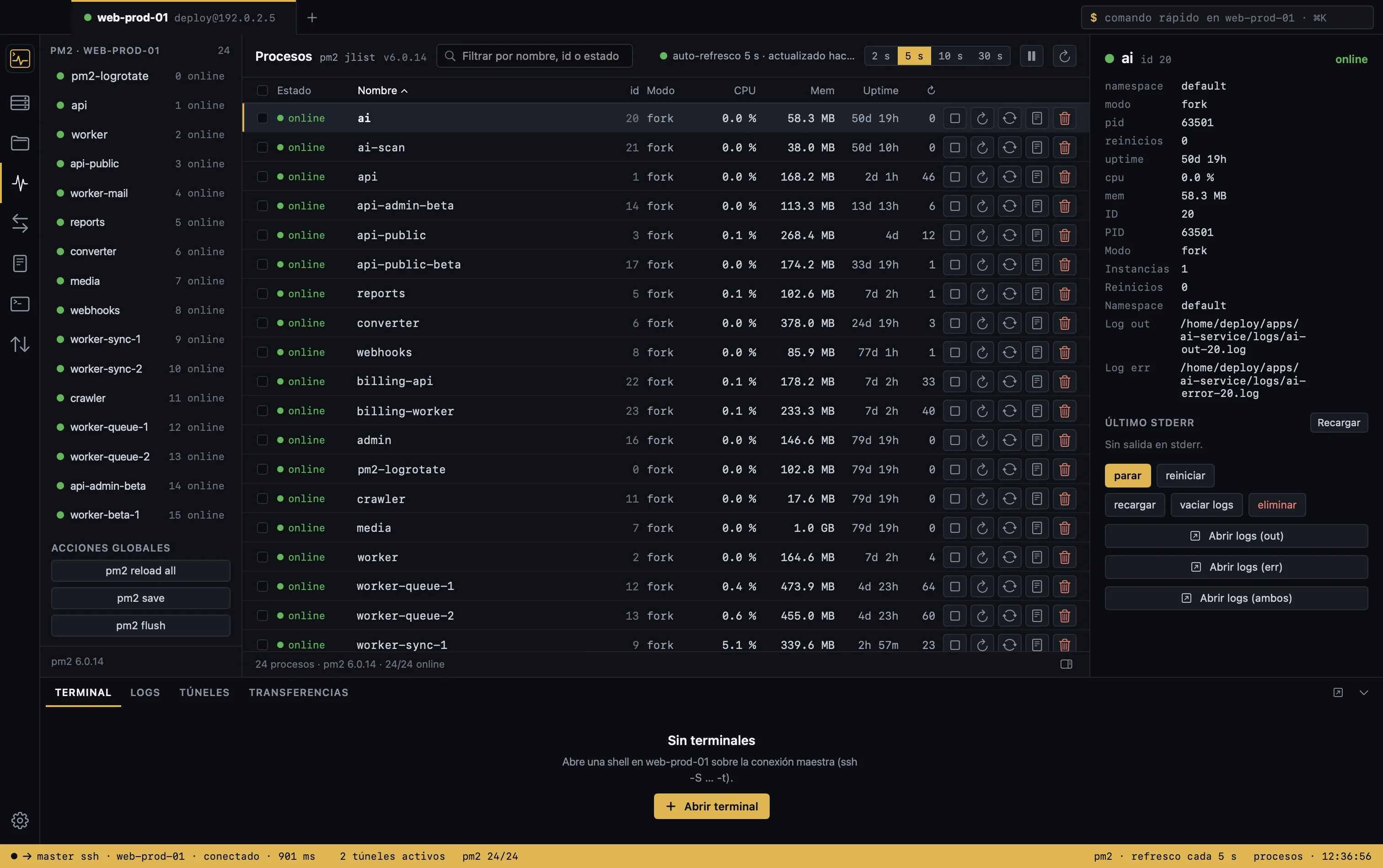
Detects what each server runs and shows it in tabs. Live status, CPU and memory; start, stop, restart and open the logs of any process or container. Containers are grouped by Compose project.
- Recreate Compose services and pull new images
- Details with recent stderr and log paths
- Destructive actions require a typed confirmation
- Works even if pm2 was installed with nvm: it uses your login shell
05 · Logs and terminal
Live logs from several services and a full terminal
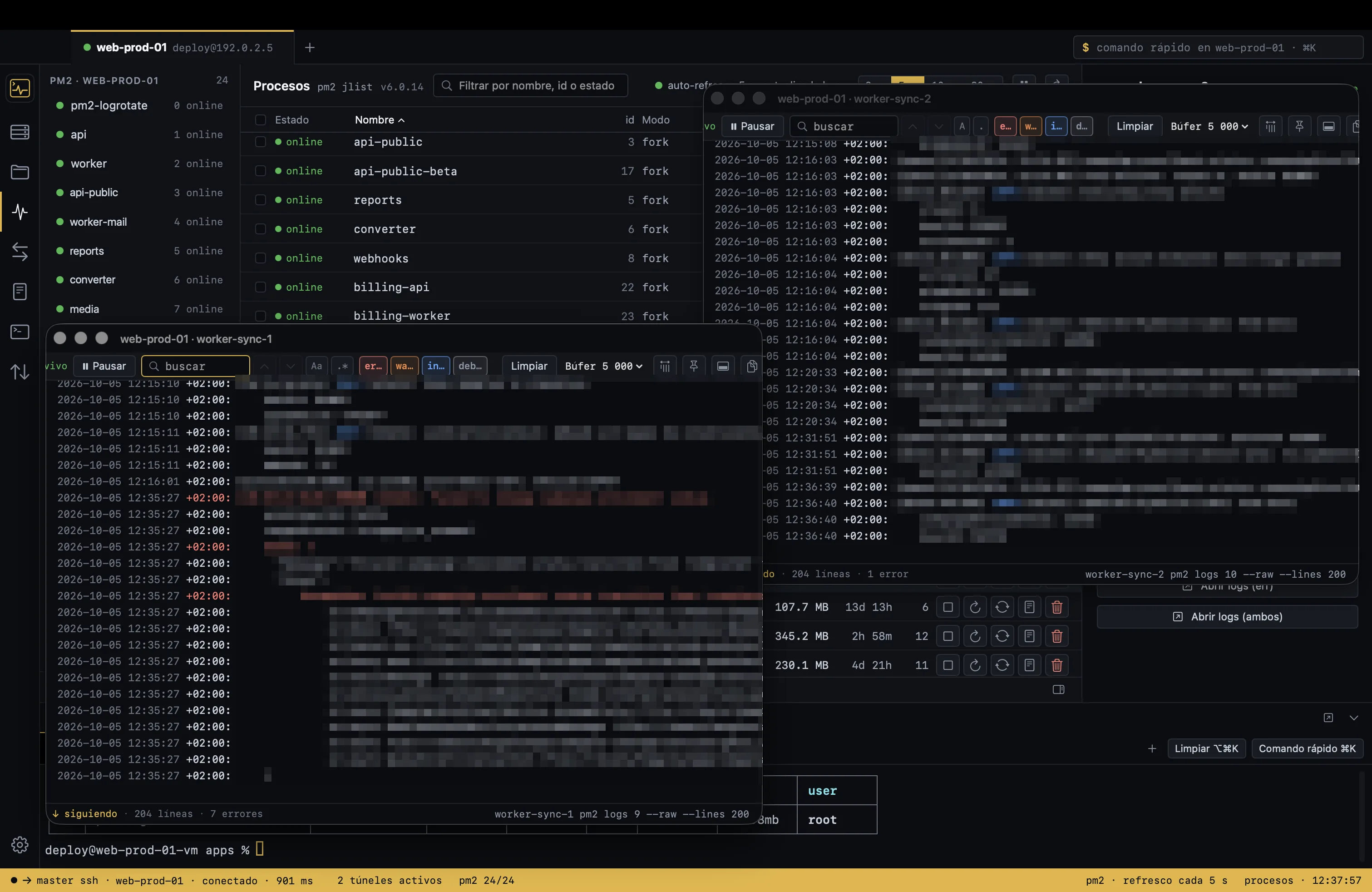
Each log in its own floating window: search, pause without losing lines, filter by level, color-coded errors. Works for PM2 processes, Docker containers or any file on the server from the context menu.
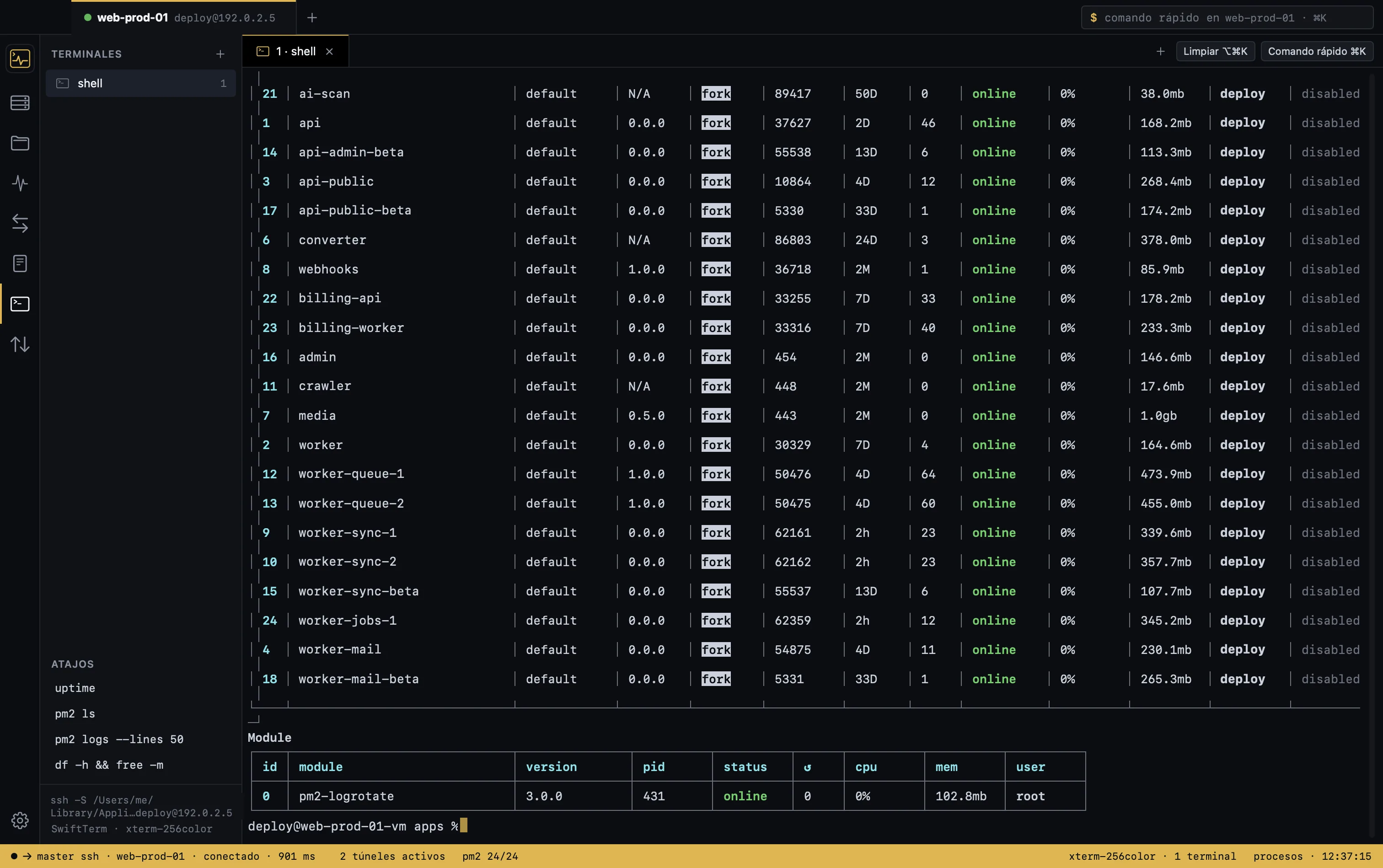
The built-in terminal (SwiftTerm) runs over the same session: colors, vim, htop. And ⌘K opens a palette to run a one-off command and see its output without opening anything.
Try it with your own servers
Import your ~/.ssh/config and connect in a minute. Free, no account, no telemetry. You need an SSH key.
macOS 14 or later · Apple Silicon and Intel · free